accessibility · architecture · TypeScript · infrastructure · engineering
Building a Production-Grade Accessibility Scanning Platform
An architectural deep-dive into A11yNow — the distributed web accessibility auditing backend I built at BarrierBreak. Browser pooling, distributed scheduling, multi-auth, error resilience, and a 600MB Docker image.
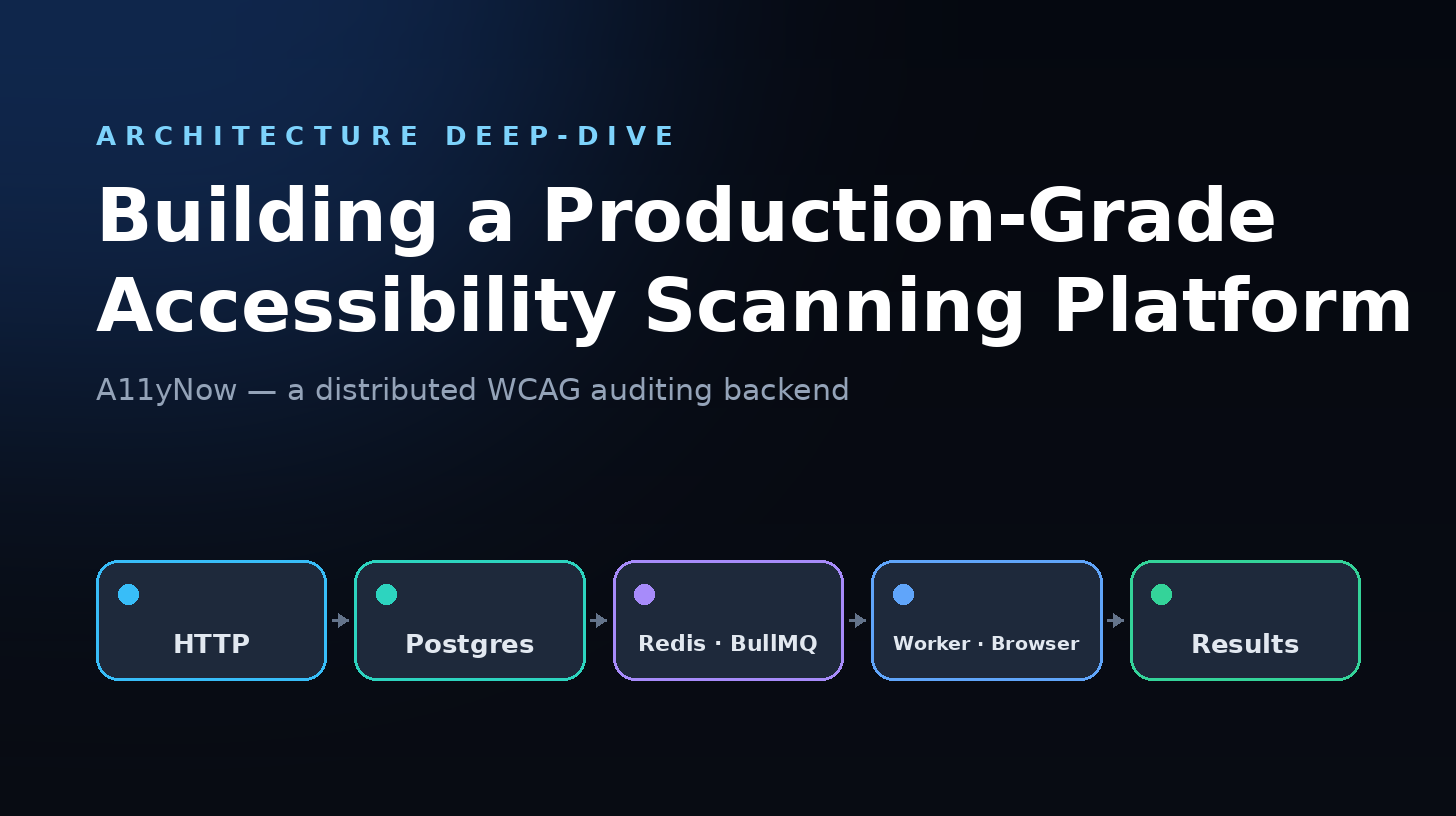
When your job is to scan thousands of web pages for WCAG 2.1 compliance across multiple browsers, device viewports, and authentication schemes — all while handling scheduled cron jobs, queued workloads, distributed locking, and screenshots — you quickly learn that the hard part isn't the accessibility rules. It's the infrastructure.
This post walks through the architecture of A11yNow, the backend I designed and built at BarrierBreak to automate accessibility auditing at scale. Every decision here was driven by real production pain: browser memory leaks, duplicate scheduled executions, OOM kills, and flaky auth sessions.
1. The scan pipeline (at 10,000 feet)
A scan request flows through five stages:
HTTP POST /scan → PostgreSQL (record) → Redis/BullMQ (queue) → Worker (browser + scan engine) → PostgreSQL (results)Here's the exact call chain:
- The controller validates input, checks usage quotas, and fetches project settings once (no N+1).
- The core scanner service writes a scan-result row in PostgreSQL with status
pending, then enqueues the job into BullMQ. - BullMQ stores the job in Redis with 3 retry attempts, exponential backoff, and bounded retention (1h completed / 24h failed).
- The scan worker unpacks the job payload into a scan context and calls into the scanner service.
- The scanner service runs the real work:
private async executeScan(context: ScanContext, persistence: IScanPersistence) {
  // 1. Get or create a per-project browser manager (LRU-cached)
  const browserManager = await this.getProjectBrowserManager(
    context.projectId, context.browserType, context.devicePreset
  );
  const page = await browserManager.acquirePage();

  // 2. Authenticate if needed (basic, bearer, cookie, NTLM, or multi-step UI)
  if (authConfig) {
    const result = await this.authHandler.authenticate(page, url, authConfig, sessionId);
    page = result.page;
  }

  // 3. Navigate and execute the accessibility engine
  await page.goto(url);
  const result = await this.scanExecutor.execute(page, context, this.config);

  // 4. Store issues with SHA-256 fingerprinting (deduplication)
  const createdIssues = await storeIssues(result.issues, projectId, pageId, ...);

  // 5. Capture screenshots of each issue (sequential — can't parallelise DOM highlights)
  if (context.takeScreenshot) {
    page = await this.processScreenshotsSequential(page, createdIssues, context);
  }

  // 6. Update status to COMPLETED only after all data is persisted
  await persistence.updateStatus(context.scanId, ScanStatus.COMPLETED);
}2. Browser pooling with LRU + page queues
You can't launch a new Chromium instance for every scan. A single browser process eats ~300MB+. With dozens of concurrent scans, you'd OOM in minutes. My solution: per-project browser pooling with LRU eviction and a page request queue.
LRU cache of browser managers
Each project gets its own browser manager instance, cached by projectId:browserType:devicePreset:
this.projectBrowserManagers = new LRUCache<string, IBrowserManager>({
  max: 12,                // Max 12 concurrent browser instances
  ttl: 1000 * 60 * 10,    // 10-minute TTL
  ttlAutopurge: true,     // Auto-evict stale browsers
  updateAgeOnGet: true,   // Reset TTL on access (prevent mid-scan eviction)
  dispose: (value, key) => {
    // Async shutdown tracked via pendingDisposals set
    const p = value.shutdown().finally(() => this.pendingDisposals.delete(p));
    this.pendingDisposals.add(p);
  },
});
When the LRU reaches max, the least-recently-used browser is evicted and gracefully shut down. The dispose handler tracks shutdown promises so the graceful-shutdown handler can await them.
Page request queue (not just another pool)
Each browser manager maintains a configurable pool of Playwright Page objects (default 5). When the pool is full, requests are queued rather than throwing:
async acquirePage(): Promise<Page> {
  if (this.activePagesSet.size < this.maxPoolSize) {
    const browser = await this.getBrowser();
    const pageContext = await browser.newContext(contextOptions);
    const page = await pageContext.newPage();
    this.activePagesSet.add(page);
    return page;
  }

  // Pool full — queue the request with a 120s timeout
  return new Promise((resolve, reject) => {
    const timeout = setTimeout(() => {
      this.pageRequestQueue.splice(/* remove this request */);
      reject(new Error('Timed out waiting for available page'));
    }, this.maxQueueWaitTimeMs);

    this.pageRequestQueue.push({ resolve, reject, timestamp: Date.now(), timeout });
  });
}
When a page is released, the queue is processed immediately (not just on a timer). This gives sub-5ms response when capacity is available, but can backpressure up to 20 queued requests before logging warnings.
Why not a generic connection pool?
Generic pools (like generic-pool) work for database connections. Browser pages are different:
- Each page needs its own browser context (isolated cookies, localStorage).
- Ad blocking is enabled per-page via a shared
PlaywrightBlockerengine (30MB, cached at module level to avoid N× duplication). - Page-close events auto-close their context for clean teardown.
- Context options are browser-type aware (Firefox skips mobile emulation, Linux WebKit skips touch).
3. The scheduling system: distributed locks done right
Scheduled scans were the hardest production bug to fix. The original implementation had race conditions: two instances or two cron ticks would both pick up the same "due" schedule and queue duplicate jobs. The fix was three-pronged.
3a. Distributed locking via Redis SET NX
async acquire(options: LockOptions = {}): Promise<boolean> {
  for (let attempt = 0; attempt <= retries; attempt++) {
    const result = await redis.set(
      `lock:${this.lockKey}`,
      this.lockValue,
      'PX', ttl,  // Millisecond expiry
      'NX'        // Only set if not exists
    );
    if (result === 'OK') { this.acquired = true; return true; }
    await this.sleep(retryDelay);
  }
  return false;
}

async release(): Promise<boolean> {
  // Lua script: atomic compare-and-delete (only the lock owner can release)
  const script = `
    if redis.call("get", KEYS[1]) == ARGV[1] then
      return redis.call("del", KEYS[1])
    else return 0 end
  `;
  const result = await redis.eval(script, 1, this.lockKey, this.lockValue);
  // ...
}
Lock acquisition uses SET NX PX — Redis's native atomic "set if not exists with expiry." The release uses a Lua script for atomic compare-and-delete, preventing a stale client from releasing someone else's lock.
3b. Idempotent job IDs
Each scheduled execution gets a deterministic job ID:
const jobId = ScheduleCalculator.generateJobId(schedule.id, now);
// e.g. "schedule-abc123-2026-06-16"

const existingExecution = await prisma.scheduleExecution.findUnique({
  where: { jobId }
});

if (existingExecution) {
  logger.info('Schedule already executed today, skipping');
  return;
}
Even if the lock fails, the database enforces idempotency: the execution record has a unique constraint on jobId.
3c. Atomic nextRunAt update (before queuing)
// Transaction: atomically update schedule + create execution record
const execution = await prisma.$transaction(async (tx) => {
  await tx.scanSchedule.update({
    where: { id: schedule.id },
    data: { lastRunAt: now, nextRunAt }
  });
  return await tx.scheduleExecution.create({
    data: { scheduleId: schedule.id, status: 'PENDING', jobId, ... }
  });
});

// Only NOW queue the actual scans
for (const page of schedule.project.pages) {
  await this.scanQueue.addScan({ ... });
}
nextRunAt is advanced before anything is queued, inside the same database transaction as the execution record. If the process dies mid-queue, the next tick sees a future nextRunAt and skips it.
3d. First-run skip
On startup, the cron fires immediately (within 1 minute). Without protection, every deployment would queue every due schedule:
if (this.isFirstRun) {
  logger.info('First run - skipping all schedules');
  this.isFirstRun = false;
  return;
}
4. Multi-auth: five authentication strategies
Authenticated pages are common in enterprise a11y testing — internal dashboards, staging environments, client portals. The authentication handler supports five strategies:
| Type | Mechanism | Validation |
|---|---|---|
| basic | HTTP Basic Auth header | username + password required |
| bearer | Authorization: Bearer header | token required |
| cookie | Set named cookies | array of {name, value} objects |
| ntlm | Windows Integrated Auth | username + password (CNTLM proxy) |
| ui | Multi-step form login | usernameSelector + passwordSelector, or a steps[] array |
Sessions are persisted to Redis with a TTL. On the next scan, the saved session is restored — no need to re-login:
if (sessionId) {
  const hasSavedSession = await authService.hasAuthSession(sessionId);
  if (hasSavedSession) {
    const restored = await authService.restoreAuthSession(page, sessionId);
    if (restored.success) return { success: true, page: restored.page };
    // Session stale — delete and fall through to fresh login
    await authService.deleteAuthSession(sessionId);
  }
}

// Fresh authentication
await page.goto('about:blank'); // Clean slate
const authResult = await authService.authenticate(page, url, authConfig);
if (authResult.success && sessionId) {
  await authService.saveAuthSession(authResult.page, sessionId);
}
5. Error resilience: discriminated errors + retry with jitter
Errors in browser automation are messy: a page load might fail because of a network hiccup (retryable), or because the URL is a 404 (not retryable). The system uses discriminated scan errors:
type ErrorCode =
  | 'BROWSER_LAUNCH_FAILED'
  | 'PAGE_LOAD_FAILED'
  | 'AUTH_FAILED'
  | 'SCAN_TIMEOUT'
  | 'SCAN_CANCELLED'
  | 'ADBLOCKER_INIT_FAILED'
  | 'UNKNOWN_ERROR';

interface ScanError {
  code: ErrorCode;
  message: string;
  retryable: boolean;
}
The retry handler wraps scan execution with exponential backoff + 30% jitter:
const result = await this.retryHandler.execute(
  async () => this.executeScan(context, persistence),
  `scan-${context.scanId}`,
  {
    maxRetries: 3,
    retryableErrors: [
      ErrorCode.BROWSER_LAUNCH_FAILED,
      ErrorCode.PAGE_LOAD_FAILED,
      ErrorCode.SCAN_TIMEOUT
    ]
  }
);BROWSER_LAUNCH_FAILEDis retryable — browser processes crash, CDP endpoints drop.AUTH_FAILEDis not retryable — wrong credentials won't fix themselves.- Local browser launch has its own retry loop (2 retries), falling back to
--headless=newon the final attempt.
6. Multi-browser + remote Browserless
The scanner supports Chromium, Firefox, and WebKit via Playwright. Browser selection is environment-driven:
BROWSER_PROVIDER=auto         # prefers remote Browserless, falls back to local
BROWSER_PROVIDER=local        # always launches locally
BROWSER_PROVIDER=browserless  # always connects to remote CDP
Remote mode connects to Browserless via connectOverCDP():
if (shouldUseRemoteBrowser() && browserlessEndpoint) {
  // CDP first (Browserless native), Playwright protocol fallback
  try {
    const browser = await playwrightChromium.connectOverCDP(wsEndpoint, { timeout: 30000 });
    return browser;
  } catch (cdpError) {
    if (errorMessage.includes('Protocol error')) {
      // Not Browserless — try standard Playwright connect
      return await playwrightChromium.connect(wsEndpoint, { timeout: 30000 });
    }
    throw cdpError;
  }
}
Local Chromium uses playwright-extra with the stealth plugin to evade bot detection — critical for scanning sites that block headless browsers. Context options are browser-aware:
private buildContextOptions() {
  const opts = { viewport, deviceScaleFactor, javaScriptEnabled: true, ignoreHTTPSErrors: true };
  if (this.browserType === 'firefox') {
    // Skip isMobile — Firefox doesn't support it
  } else if (this.browserType === 'webkit' && process.platform === 'linux') {
    // Skip hasTouch — Linux WebKit doesn't support it
  } else {
    opts.isMobile = this.config.isMobile;
  }
  return opts;
}
7. The data model: issue fingerprinting for deduplication
With 35+ Prisma models, the schema is comprehensive. The core innovation is issue fingerprinting:
model Issue {
  id              String   @id @default(cuid())
  fingerprint     String?  // SHA-256 hash of code + selector + context
  code            String   // rule code (e.g. "BB10447")
  selector        String   // CSS selector of offending element
  context         String?  // Surrounding HTML snippet
  severity        String   // Critical | Major | Minor
  successCriteria String?  // WCAG SC reference (e.g. "1.1.1")
  screenshotKey   String?  // S3 key
  screenshotUrl   String?  // Presigned URL
  assignee        Int[]    @default([])
  reviewStatus    String   @default("open")
  activities      Json[]   @default([])

  occurrences     IssueOccurrence[] // Which scans found this issue
  project         Project   @relation(...)
  page            Page      @relation(...)
}
The fingerprint is a SHA-256 of code + selector + context. When the same <img> without alt text appears in scan #47, it's recognized as the same issue from scan #1 — no duplicate row, just a new IssueOccurrence record.
The scan-result model carries a batchId for grouping related scans, browserType and devicePreset for environment tracking, and a computed batchStatus for efficient querying.
8. The Docker build: 5 stages to 600MB
A Node.js app with Playwright, Prisma, adblocker engines, and three workspace packages is heavy. The monolithic node_modules alone can exceed 1GB. The Dockerfile uses five stages to strip it to ~600MB:
Stage 1 (base):         Node 22 Alpine + build tools (python3, make, g++)
Stage 2 (dependencies): Install ALL deps, skip Playwright browser downloads
Stage 3 (builder):      Compile TypeScript, build workspace packages, generate Prisma client
Stage 4 (prod-deps):    yarn workspaces focus --production, then aggressively clean
Stage 5 (production):   Node 22 Alpine runtime, non-root user, no browser binaries
The aggressive cleaning in stage 4 is worth looking at:
RUN yarn workspaces focus --production && \
    find node_modules -name "*.md" -delete && \
    find node_modules -name "*.ts" ! -name "*.d.ts" -delete && \
    find node_modules -name "*.map" -delete && \
    find node_modules -type d -name "test" -exec rm -rf {} + && \
    find node_modules -type d -name "tests" -exec rm -rf {} + && \
    find node_modules -type d -name "docs" -exec rm -rf {} + && \
    find node_modules -type d -name "examples" -exec rm -rf {} +
TypeScript source, source maps, tests, docs, examples, benchmarks, changelogs — all stripped. The final image:
- Runs as a non-root
nodejsuser (UID 1001). - Has a health-check endpoint (
curl /health). - Uses
NODE_OPTIONS="--max-old-space-size=4096"for memory headroom. - Binds to
0.0.0.0on the configured port. - Removes Playwright browser binaries (uses remote Browserless).
9. Graceful shutdown
Production deploys aren't polite. SIGTERM arrives with a deadline. The shutdown handler runs a five-step sequence:
const gracefulShutdown = async (signal: string) => {
  // 1. Stop polling services (JIRA, GitHub)
  jiraPollingService.stop();
  githubPollingService.stop();

  // 2. Stop JIRA sync worker
  await workerServices.jiraSyncWorker.stop();

  // 3. Stop the scheduler (prevents new cron triggers)
  workerServices.schedulerService.stop();

  // 4. Close HTTP server (stop accepting new requests)
  await new Promise(resolve => server.close(resolve));

  // 5. Wait 5s for active jobs to finish
  await new Promise(resolve => setTimeout(resolve, 5000));

  process.exit(0);
};

process.on('SIGTERM', () => gracefulShutdown('SIGTERM'));
process.on('SIGINT', () => gracefulShutdown('SIGINT'));10. What I'd do differently
- Structured concurrency. The active-scan and pending-disposal sets work but are fragile. A proper structured-concurrency primitive (like Effect, or explicit
Promise.racewith cleanup) would be safer. - Browser manager as a standalone service. Right now, browser managers live inside the scanner service's LRU. A separate browser-pool service with its own lifecycle would be cleaner — the scanner shouldn't own browser state.
- More aggressive TypeScript strictness.
strict: falsewas pragmatic for velocity, but it's hiding bugs. Gradual adoption ofstrictNullCheckswould catch null-pointer issues that currently surface as runtime errors. - Observability. Structured logging (Pino) is there, but there are no OpenTelemetry traces. A scan that takes 30 seconds should be traceable through queue → worker → browser → engine → DB — right now you grep logs.
- Worker autoscaling. Worker concurrency is static (default 5). Real scan workloads spike — a KEDA or custom autoscaler based on queue depth would handle bursts better than a fixed pool.
Key takeaways
- LRU-cached browser pooling beats launching per-scan. ~300MB per browser process adds up fast.
- Distributed locks need three layers: Redis
SET NX(speed), idempotent job IDs (correctness), and atomicnextRunAtupdates (race prevention). - Update state before side effects. Advancing
nextRunAtin a transaction before queuing scans prevents duplicate execution on crash. - Docker image size matters for CI/CD velocity. Stripping TypeScript, docs, and tests from
node_modulescut the image by ~40%. - Error discrimination enables smart retries. Not all failures should be retried — bad auth shouldn't, but a CDP disconnect should.